Invoice to Excel

OCR a scanned invoice if needed, then normalize date, SKU, description, quantity, and amount into Excel. This is a best-effort parser, not a certified invoice reader.

Name this vendor. Add the month’s files and download one workbook. A free account saves one personal column layout across devices. Pro and Team also offer browser maps and workspace template libraries.

One personal layout is included free. Saving another replaces it. PDFs and transaction rows are not stored.

Invoice rows stay on this page. The same invoice number, vendor, date, tax, and total list is the My invoices preset on AI Extract.

  1. Choose file
  2. Options
  3. Process
  4. Download

Up to 25 MB per file ? 5 jobs left today

This file stays on this device.

No watermarks

Check all three invoice lines

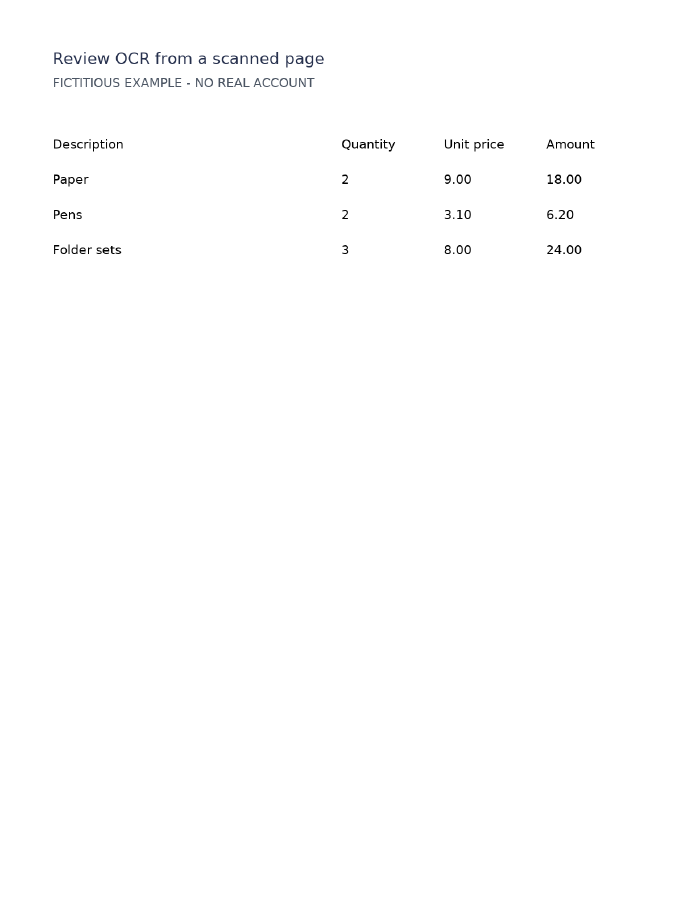
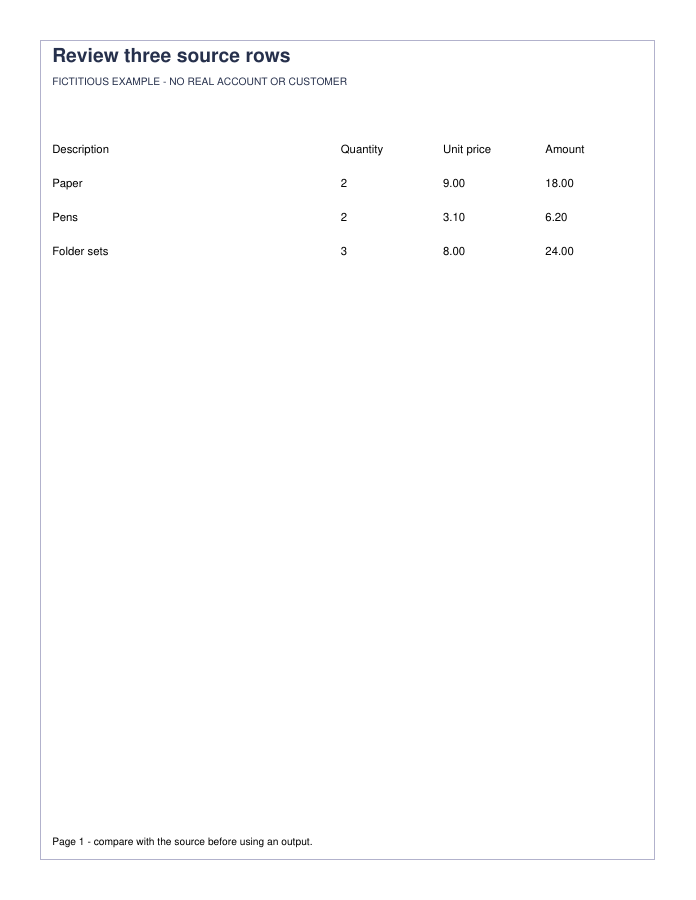
  1. Extract the sample invoice and compare its three printed line amounts: 18.00, 6.20 and 24.00.
  2. Check the stated 48.20 total and ensure shipping was not dropped or counted twice.
  3. Review the original quantity and amount columns, then save one reusable layout in a free account.

The printed line amount already includes quantity. Do not multiply it again unless your destination requires a unit price.

Fictitious invoice PDF

Read the worked guide → | Compare reproducible source and output examples

Related: bank statement to excel · check bank statement extraction

If the result needs correction

Checks to make against the original document
What you noticeWhat to check next
The total doubles after importCheck whether the mapped amount is already quantity times unit price. Do not extend it a second time.
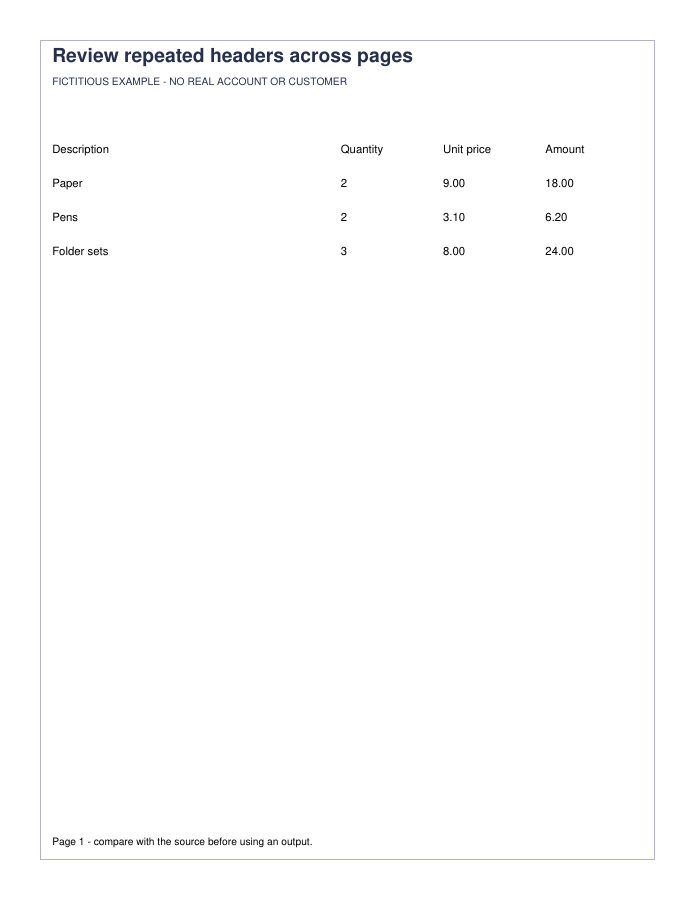
A multi-page invoice loses a lineCount source lines on every page and check repeated headers and continuation descriptions.
An amount is counted on both sides of a page breakMatch the continued description to its original line. Keep an actual new line once, exclude repeated headers and carried-forward subtotals, and compare source line counts before export.
The extracted subtotal differsReview discounts, freight, credits, tax and rounding individually against the invoice.
Several invoices share a numberCompare supplier and date as well as invoice number before treating the records as duplicates.

Keep a review checklist beside your document

Count source rows, inspect the actual download and record any corrections before relying on the result.

Check all three invoice lines checklist · Download the printable workbook · Find the next practical workflow

Choose how to handle the next client month

For a one-off export, keep using this browser converter. A free account can save one bank or invoice column layout for another session; the layout does not contain your PDF or extracted rows.

For client collection, shared source review and monthly import checks, compare the Accounting workspace and no-card trial. Workspace extraction uploads documents and uses separate page allowances and retention settings.

Compare bookkeeping PDF workflows · Check invoice lines and printed totals · Keep the review checklist

Try three source examples

These files contain fictitious information. Use them to check the workflow, compare the source, and review the downloaded result.

See all examples, checked outputs and verification scope

How to convert an invoice PDF to Excel

  1. Choose the invoice PDF, or drop it into the tool.
  2. Click Extract invoice. Text-based pages are clustered; pages with almost no text are OCR’d in your browser.
  3. Review every sheet and row, compare the source PDF, and correct any cells that need attention.
  4. Choose Download to export the reviewed result. Processing limits and any missing-page warnings appear above the table.

Features

OCR when the page is empty

If a page has almost no selectable text, Tesseract runs in your browser (up to 15 pages). The PDF is not uploaded.

Normalized columns

Line items are mapped to Date, Invoice / SKU, Description, Quantity, and Amount when those columns can be guessed.

Summary fields

Invoice number, dates, bill-to, and totals are pulled from the page text when the labels are present.

Raw tables kept

The original clustered tables stay in the workbook so a bad mapping does not throw the data away.

Honest limits

This is not Tabula and not a bookkeeping product. Unusual layouts, handwritten invoices, and some scans will miss columns.

Free to start

5 free jobs a day. The file stays on your device. Upgrade to Pro for larger files and more daily jobs.

What Invoice to Excel actually does

After reading text positions and running OCR on sparse pages, the tool maps invoice line items into spreadsheet columns and looks for invoice number, date, and total labels. Original tables stay in Raw sheets for comparison.

Use it for a typical digital invoice or a clean scan. If the result is messy, open the Raw sheets, or run OCR PDF first on a hard scan and try again.

Conversion runs on your device. Choosing Save to workspace uploads the PDFs and reviewed data to your client project for its selected retention period. Bank statements have their own page with debit, credit, and balance columns.

Questions

Does the invoice PDF get uploaded?

Reading and OCR run in your browser. If you explicitly choose Save to workspace, the PDF and reviewed data are uploaded to your account for the selected project retention period.

Is this a certified invoice reader?

No. It is a best-effort remap of date, SKU, description, quantity, and amount. Check the sheet before you book the numbers.

How much does it cost?

5 jobs a day and files up to 25 MB are free. A $5 day pass is 100 jobs and 200 MB files for 24 hours. Pro is $9 a month or $69 a year.

Should I use PDF to Excel instead?

Use PDF to Excel for a generic table. Use this page when you want invoice columns. Bank statements have their own page.
Check invoice line items before exporting to Excel

Try the synthetic invoice to see how descriptions, quantities, and amounts are extracted. Review the source PDF beside the editable table, then correct any missed or combined rows.

Synthetic sample rows for review; results depend on your PDF
DescriptionQuantityAmount
Printer paper218.00
Binder clips16.20
Shipping124.00

Before you use the spreadsheet

  • The public sample invoice states a total of 48.20. Its three line amounts add to 48.20; compare this yourself before exporting.
  • Check invoice number, date, currency, taxes, credits, and whether Amount means a unit price or a line total. The parser does not infer your accounting treatment.
  • Handwriting and unusual layouts can miss columns. Keep the Raw sheets for comparison and use a clearer scan when OCR cannot read the source.
Try a sample PDFNo account required.